
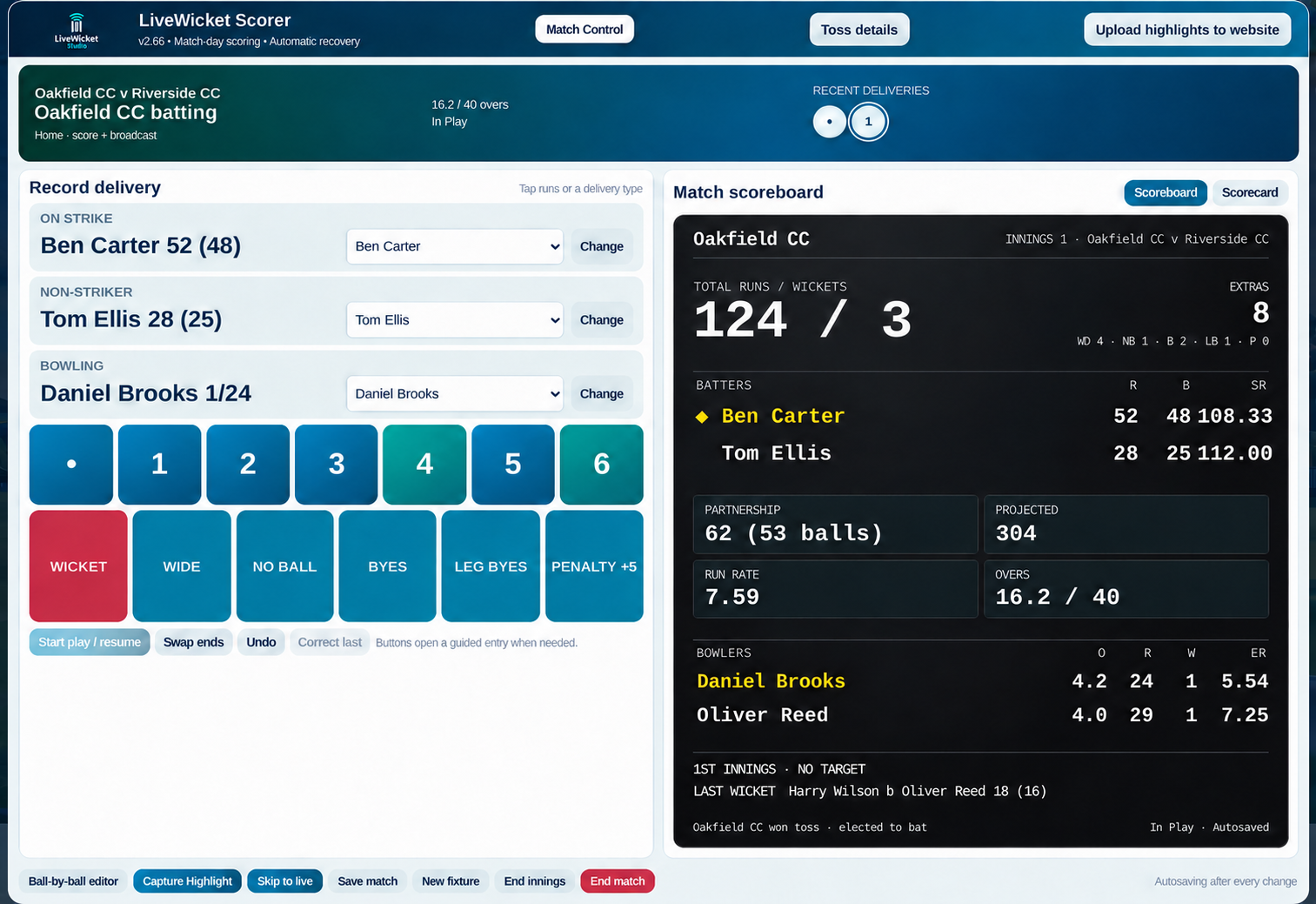
One match record, two working views
The built-in scorer records runs, wickets and extras. Match Control manages what viewers see, including the live score, boundary graphics, wicket sequences and breaks in play. Both belong to the same local LWS match.
Open the scorer from Match Control and switch between the scoring window and broadcast controls when needed. OBS remains the streaming engine in the background. You are still running OBS, even though LWS gives you the matchday controls.
Prepare the innings before recording deliveries
Set the format and number of overs, choose the teams and players, and check the toss. Select both opening batters and the opening bowler. Saved club squads help with future fixtures, including players outside the current XI.
At a wicket, record the dismissal and any relevant fielder, then confirm the next batter. At the end of an over, confirm the bowler for the next over. These are cricket scoring decisions, so the scorer should review them rather than rely on the graphics to make assumptions.
Let scoring drive the broadcast graphics
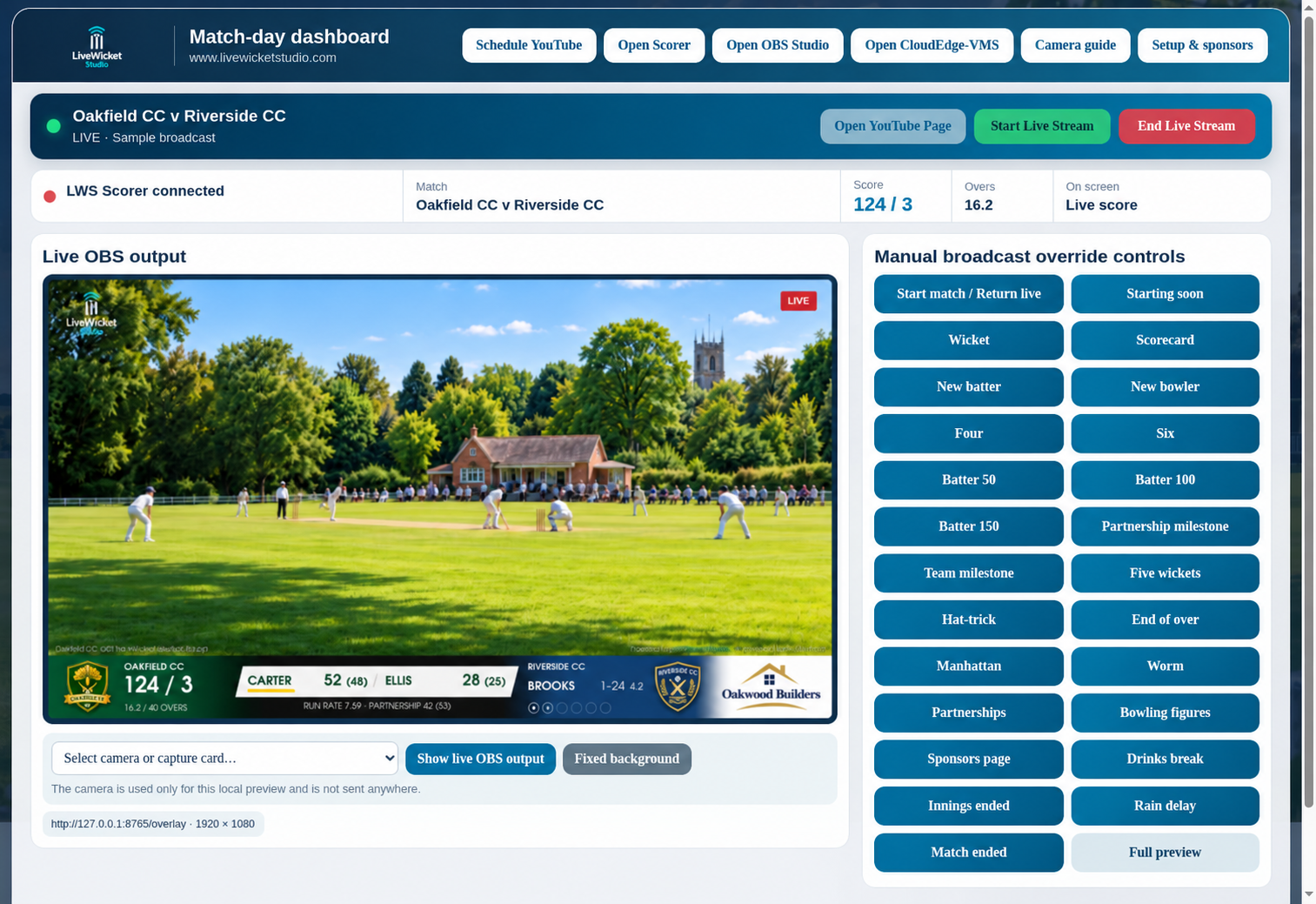
When scoring changes, LWS updates its live match information. The main overlay shows cricket runs and wickets, overs, the batters and bowling figures. Key scoring events can trigger the appropriate broadcast graphics, with your club colours, player images and sponsors.
The Match Control screenshot below shows the separate broadcast view. Use its manual controls for a drinks break, rain delay or a graphic you need to show deliberately. Check replay capture and OBS connections during setup if you intend to use replays.
Score at home or away
At home, the same Windows laptop can score and control the broadcast. Away from home, score-only mode lets you record a match without starting a YouTube stream. Online supporter updates depend on sharing being enabled and an internet connection being available.
The Android pilot is a supporter viewing app. It is not a replacement for the laptop scorer in this workflow. A phone-only scoring and broadcasting setup is not what this guide describes.
Be clear about Play-Cricket
This workflow uses the native LWS scorer. It does not promise a connection to PCS Pro, Play-Cricket Scorer or automatic result submission to Play-Cricket. Clubs should keep their league reporting requirements in mind and use an authorised route to submit results.
We are developing LWS around its own scoring data. Ask for a demonstration using your typical match format before deciding whether it fits your club.