
Publish a match from LWS
The intended club workflow starts with the match scored in LWS. Review the result and player details, then use the highlights publishing controls to send the match information to your club’s LWS page.
The published page can bring together the teams, scores, result, scorecards, key performances and available highlights. Keep private or test matches out of the public archive. Confirm that the correct club is connected before publishing.
Keep YouTube as the video source
The current highlights approach uses the club’s YouTube match video and stored start and end times for selected moments. The website plays those portions of the video rather than needing a separate copy of every clip.
The source video must remain available and allow embedded playback. Removing it or changing access settings can stop highlights working. Replays also depend on the footage and event timings recorded during the match, so test a published wicket from another device.
Put the scorecard beside the moments
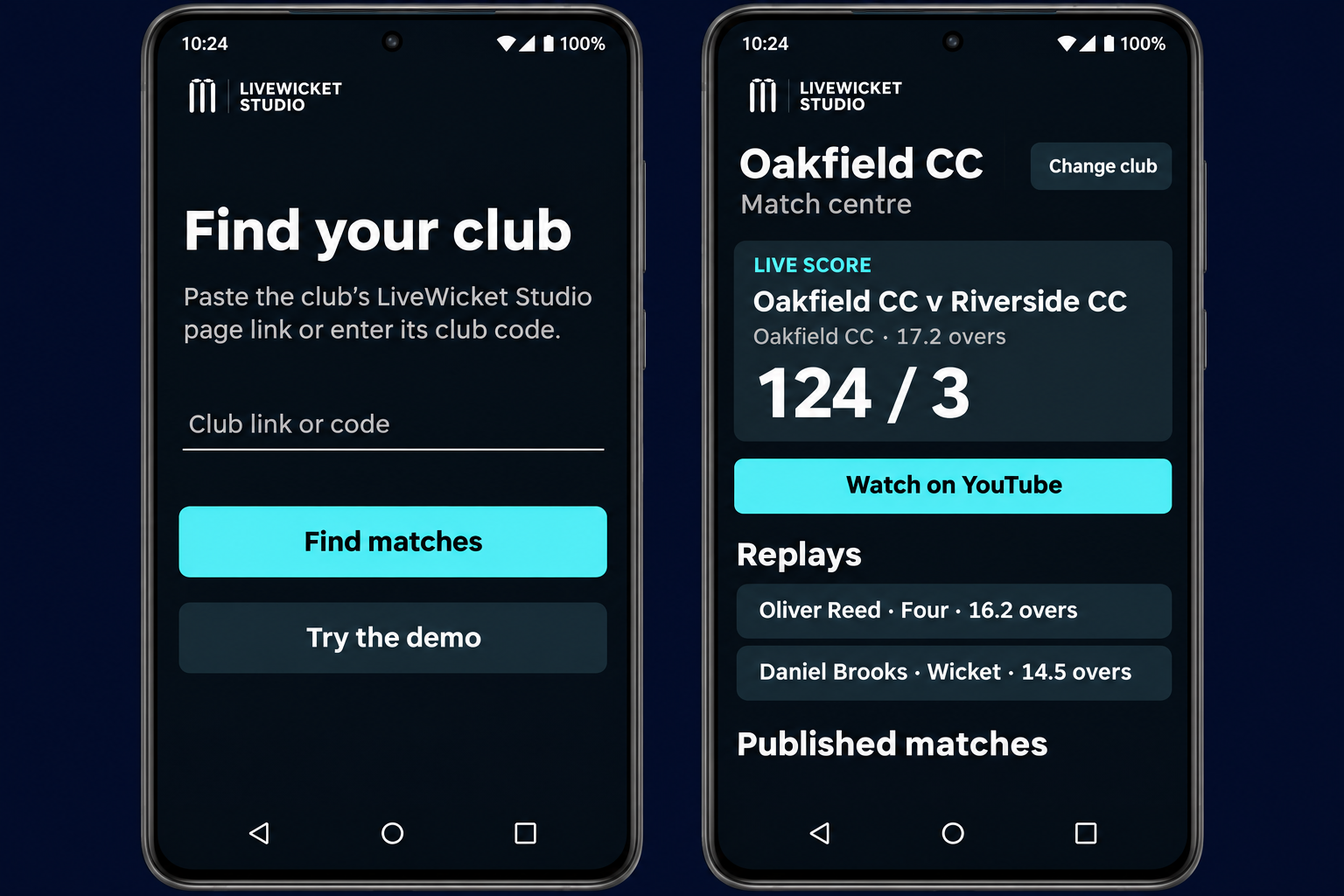
A wicket replay has more value when a supporter can see who was playing, the result and the innings figures. The club match centre brings that context together. Use the archive to revisit published fixtures and the scorecard to check the full innings.
Published information comes from LWS scoring and the club’s publishing choices. This page is not an automatic Play-Cricket results integration. Review corrections in the match data and publish the updated information through the supported LWS workflow.
Give sponsors a place in the match story
Club badges and sponsor logos help connect the coverage to the people supporting it. The current publisher accepts PNG, JPG or WebP assets up to 750 KB per image. Use clear logos that stay readable at small sizes and check the published page after uploading.
Make sponsorship promises around placements you can actually provide. A logo alongside a scorecard or replay gives a business visibility, but it does not guarantee a particular audience size or financial return.
Follow live updates on a phone
The LWS Android supporter app is in pilot development. The pilot includes live scores, ball-by-ball information, scorecards and access to YouTube and wicket replays. It is for following the match, while scoring takes place on the Windows laptop.
Live sharing needs to be enabled for the match and needs an internet connection. A private match should not be shared publicly. App behaviour, access and availability may change during the pilot, so ask about the current setup for your club before announcing it to supporters.